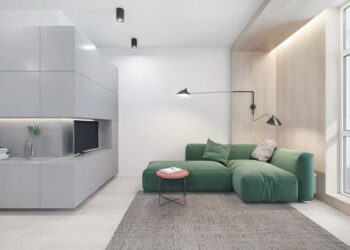

Delving into photorealistic renderings, this introduction immerses readers in a unique and compelling narrative that explores the world of 3D visualization. Photorealistic renderings play a crucial role in various industries like architecture, interior design, and product design, offering a realistic portrayal of designs before they come to life.
With their ability to enhance presentations and marketing materials, photorealistic renderings have revolutionized the way we visualize and communicate design concepts.
Definition of Photorealistic Renderings
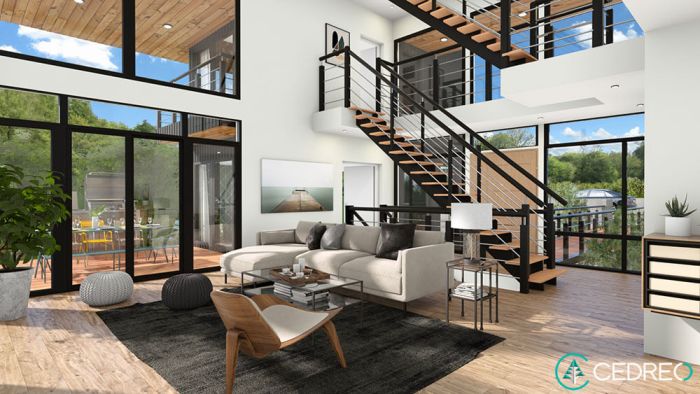
Photorealistic renderings refer to highly detailed and accurate 3D visualizations that aim to mimic reality as closely as possible. These renderings are created using advanced software to replicate materials, lighting, textures, and other real-world elements to create a lifelike representation.Photorealistic renderings play a crucial role in various industries such as architecture, interior design, product design, and marketing.
In architecture and interior design, these renderings allow designers and clients to visualize spaces before they are built, helping to make informed decisions about layouts, materials, and aesthetics. For product design, photorealistic renderings help showcase products in a realistic environment, highlighting features and design elements effectively.
Importance of Photorealistic Renderings
- Enhance Visualization: Photorealistic renderings provide a clear and detailed representation of designs, enabling clients to better understand the final outcome.
- Aid Decision Making: By presenting designs in a realistic manner, these renderings help in making informed decisions about design choices, materials, and overall aesthetics.
- Marketing Advantage: High-quality photorealistic renderings can be used in marketing materials to attract potential customers and showcase products or designs in an appealing way.
- Cost-effective: Utilizing photorealistic renderings early in the design process can help identify potential issues, reducing the need for costly changes during construction or production.
Tools and Software for Creating Photorealistic Renderings
When it comes to creating photorealistic renderings, having the right tools and software is essential. Here are some popular software options used in the industry along with their key features for generating high-quality renderings.
1. Autodesk 3ds Max
Autodesk 3ds Max is a widely used software in the architectural visualization and gaming industries. It offers a wide range of features such as advanced polygon and texture modeling, particle systems, and character animation tools. Its powerful rendering engine, Arnold, provides realistic lighting and materials to enhance the overall visual quality of the renderings.
2. Blender
Blender is a free and open-source software that has gained popularity for its robust features and flexibility. It offers a comprehensive set of tools for modeling, texturing, animation, and rendering. Blender's Cycles rendering engine is known for its ability to produce high-quality photorealistic images with realistic lighting effects and materials.
3. V-Ray
V-Ray is a popular rendering plugin used with software like 3ds Max, Maya, and SketchUp. It is known for its advanced lighting and shading capabilities, allowing users to achieve realistic results with ease. V-Ray offers a range of tools for creating materials, lighting scenes, and adjusting camera settings to achieve photorealism.
4. Lumion
Lumion is a real-time 3D visualization software that is widely used for creating photorealistic renderings of architectural designs. It features a user-friendly interface and a vast library of high-quality assets such as materials, textures, and vegetation. With Lumion, users can quickly create realistic environments and showcase their designs in a visually appealing way.
Tips for Achieving Photorealism:
Pay attention to lighting
Proper lighting is crucial for achieving photorealistic renderings. Experiment with different light sources and settings to create realistic shadows and highlights.
Use high-quality textures
Textures play a significant role in the overall realism of the scene. Make sure to use high-resolution textures and bump maps to add depth and detail to your materials.
Adjust camera settings
Fine-tuning camera settings such as focal length, depth of field, and exposure can help enhance the realism of your renderings.
Post-processing
After rendering, don't forget to apply post-processing effects like color correction, depth of field, and vignetting to further enhance the visual quality of your images
Techniques for Achieving Photorealism
Creating photorealistic renderings involves a meticulous process that focuses on attention to detail, lighting techniques, textures, materials, and overall composition. By following specific steps and utilizing the right tools, artists and designers can achieve stunningly realistic results that closely resemble real-life scenes.
Step-by-Step Process of Creating Photorealistic Renderings
- Start by setting up your scene with the right camera angle and composition to create a realistic layout.
- Focus on modeling high-quality 3D objects with accurate proportions and details to enhance realism.
- Apply textures and materials to the objects, ensuring they mimic real-world surfaces and respond realistically to lighting.
- Utilize advanced rendering techniques to simulate lighting effects, shadows, reflections, and refractions to enhance realism.
- Fine-tune the scene by adjusting camera settings, lighting parameters, and materials to achieve the desired photorealistic look.
Lighting Techniques for Enhancing Realism in Renderings
Lighting plays a crucial role in creating photorealistic renderings by setting the mood, highlighting details, and bringing depth to the scene. Here are some techniques to enhance realism through lighting:
- Use global illumination to simulate indirect lighting and bounce light for a more natural look.
- Experiment with different light sources such as spotlights, area lights, and environment maps to add depth and realism.
- Adjust the intensity, color, and temperature of lights to create the right ambiance and atmosphere in the scene.
Importance of Textures, Materials, and Details in Achieving Photorealism
Textures, materials, and details play a vital role in achieving photorealism by adding depth, realism, and tactile quality to objects in the scene. Here's why they are essential:
- Textures add surface details, imperfections, and realism to objects, making them visually convincing.
- Materials dictate how objects interact with light, affecting their appearance, reflectivity, and texture.
- Attention to small details such as scratches, fingerprints, and wear and tear can make objects look more authentic and lifelike.
Applications of Photorealistic Renderings
Photorealistic renderings find extensive applications across various industries, including architecture, interior design, automotive design, and more. These realistic visualizations play a crucial role in the design process by allowing stakeholders to visualize concepts before actual implementation.
Architecture
In architecture, photorealistic renderings are used to showcase proposed building designs to clients, investors, and other stakeholders. These renderings provide a realistic representation of the finished structure, including materials, lighting, and textures. Architects use these visualizations to communicate their design ideas effectively and make informed decisions during the design phase.
Interior Design
For interior designers, photorealistic renderings help in presenting design concepts to clients and collaborating with other professionals involved in the project. These visualizations allow designers to experiment with different color schemes, furniture layouts, and decor elements to create visually appealing interiors.
Clients can better understand the proposed designs and make decisions based on realistic representations.
Automotive Design
In the automotive industry, photorealistic renderings are used to visualize concept cars, prototypes, and new vehicle designs. Designers can showcase intricate details, such as body contours, lighting elements, and paint finishes, in a realistic manner. These renderings aid in the evaluation of design aesthetics, aerodynamics, and functionality before moving to the production phase.
Virtual Reality and Augmented Reality
Photorealistic renderings play a vital role in virtual reality (VR) and augmented reality (AR) applications by creating immersive and interactive experiences. In VR, realistic environments generated through renderings allow users to explore architectural spaces, interior designs, or automotive concepts in a simulated setting.
AR applications enhance the real world with digital overlays, such as furniture placement in a room or visualizing new vehicle models in a showroom, using photorealistic renderings for a seamless integration of virtual elements.
Wrap-Up
In conclusion, photorealistic renderings serve as powerful tools that bridge the gap between imagination and reality. By meticulously crafting visual representations with attention to detail, these renderings elevate design presentations and marketing strategies to new heights. Embracing the art of photorealism opens doors to endless creative possibilities and transforms ordinary designs into extraordinary experiences.
FAQ Resource
How do photorealistic renderings impact the design process?
Photorealistic renderings provide a realistic preview of designs, helping designers and clients visualize the end product before it is built, leading to more informed decision-making.
What role do textures and materials play in achieving photorealism?
Textures and materials are essential elements in creating lifelike renderings, adding depth and authenticity to the visual representation of designs.
Can photorealistic renderings be used in virtual reality applications?
Yes, photorealistic renderings are increasingly being integrated into virtual reality experiences to create immersive environments and interactive simulations.